DeskGear Labs
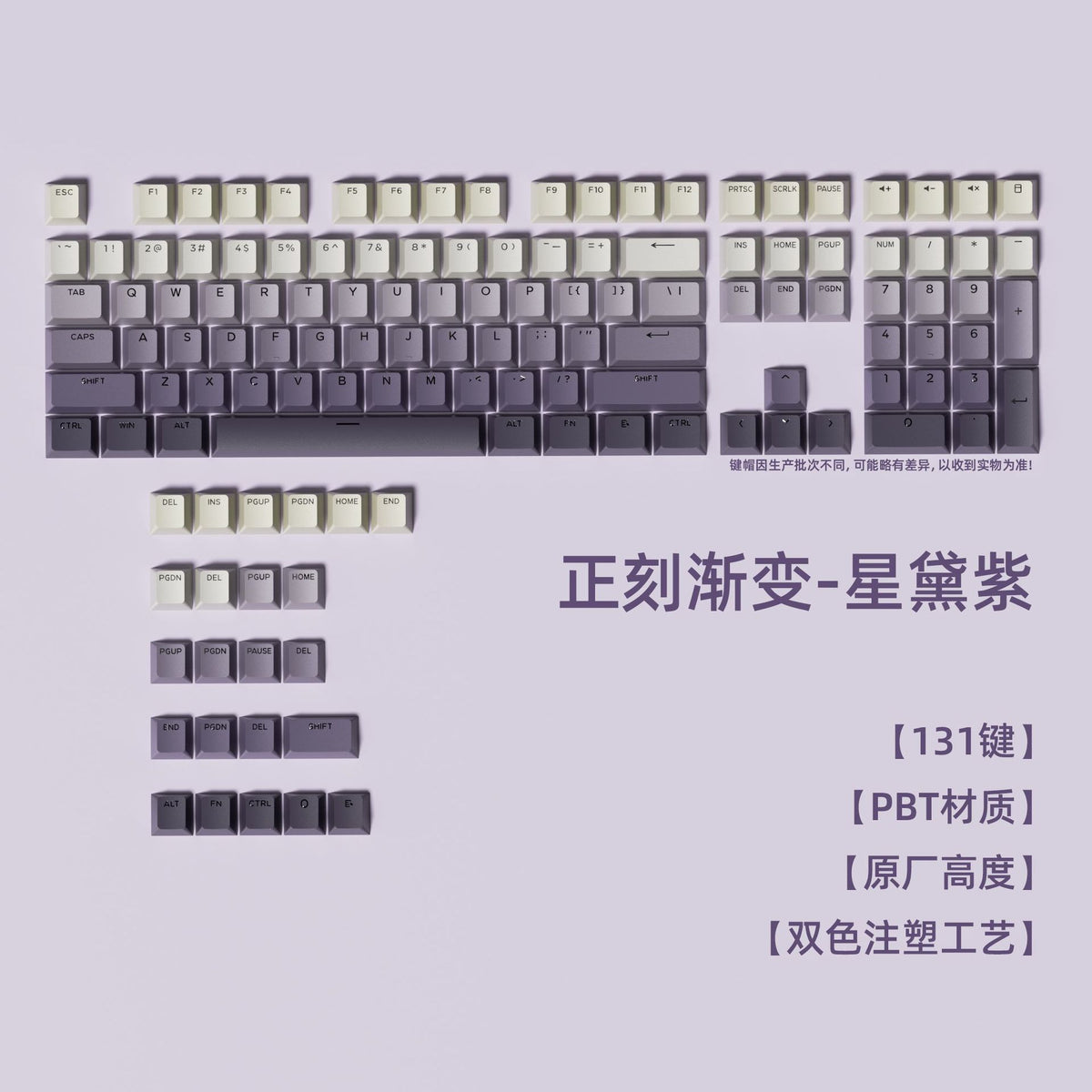
Shine-Through Gradient Keycap Set (134 Keys)
Shine-Through Gradient Keycap Set (134 Keys)
Couldn't load pickup availability
Full-key customization, straight out of the box
Refresh your mechanical keyboard with a 134-key gradient keycap set. Double-shot construction keeps the legends crisp and lets your RGB backlight shine straight through every character — no fading, no stickers, no wear.


Highlights
- Shine-through legends — backlight-compatible top-printed characters glow evenly in the dark
- Double-shot injection — legends will never rub off or fade
- PBT material — textured, oil-resistant surface for long typing sessions
- OEM profile — comfortable sculpted height, works with Cherry MX-style switches
- Full-size coverage — 134 keys fit 61 / 68 / 75 / 87 / 96 / 98 / 108 / 133-key layouts, including ISO extras
- 10 gradient colorways — from Purple Dawn to Misty Blue, pick your desk aesthetic

Specifications
- Key count: 134 keys (covers 61–133 key layouts)
- Material: PBT, double-shot injection molding
- Profile: OEM, sculpted
- Legend style: top-printed, shine-through
- Stem: Cherry MX cross (+ additional transparent keypuller-friendly clears)
- Compatibility: Cherry MX, Gateron, Kailh, TTC and other MX-style switches
- Package size: 30 x 17 x 3 cm
- Package weight: approx. 400 g


What's in the Box
- 1 x 134-key gradient keycap set
- 1 x keycap puller (included with all colorways except Dusty Rose)
FAQ
Q: Do these include switches or a keyboard?
A: No — this is a keycap set only. It fits any mechanical keyboard with Cherry MX-style switches.
Q: Will it fit my 75% / 65% keyboard?
A: Yes. With 134 keys it covers 61, 68, 75, 87, 96, 98, 108 and 133-key layouts, including ISO Enter and extra modifiers.
Q: Do the legends light up with RGB?
A: Yes. The top-printed legends are shine-through, so backlighting shows through the characters.
Q: How do I remove my old keycaps?
A: Use the included keycap puller — pull straight up gently, then press the new caps into place.